UI Illustration: Enhancing Visual Communication in Design
In the digital age, where visual content plays a crucial role in user engagement and brand identity, UI illustration has emerged as an essential tool for designers and creators. UI illustrations are visual elements that help convey ideas, simplify complex concepts, and enhance the overall user experience. Whether you're designing a website, app, or marketing material, incorporating UI illustrations can significantly impact how users perceive and interact with your content.
What Is UI Illustration?
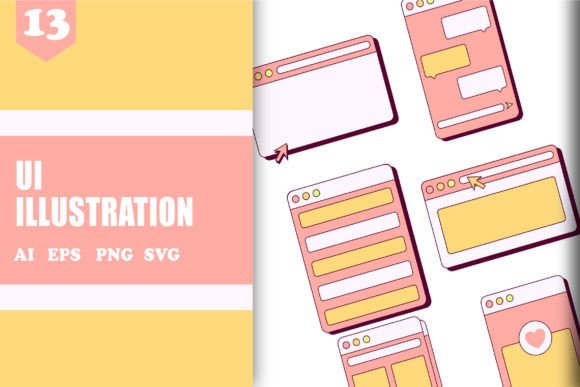
UI illustration refers to the use of images, graphics, and visual representations to support the functionality and aesthetics of a user interface. These illustrations can range from simple icons and patterns to intricate vector graphics and background designs. They serve as visual cues that guide users through a product or service, making interactions more intuitive and engaging.
UI illustrations are not limited to a single style or medium. They can be created using various tools and techniques, including vector graphics, digital painting, and even hand-drawn sketches. The key is to ensure that the illustrations align with the overall design language and purpose of the project.
The Purpose of UI Illustration
The primary goal of UI illustration is to improve communication between the user and the interface. By using visuals, designers can convey information more effectively than text alone. For example, an icon representing a settings menu is instantly recognizable, reducing the need for lengthy explanations.
Additionally, UI illustrations can add personality and creativity to a design. A well-crafted illustration can make a product feel more approachable, memorable, and visually appealing. This is especially important in branding, where consistency and recognition play a vital role in building trust and loyalty.
Features of UI Illustration
UI illustrations come with a variety of features that make them versatile and valuable in different contexts. Some of the most notable features include:
- High Quality: Professional-grade illustrations are typically created using high-resolution formats such as SVG, PNG, and EPS, ensuring clarity and sharpness across different devices and screen sizes.
- Unique Style: Each illustration brings its own artistic flair, allowing designers to create cohesive yet distinctive visual identities.
- Multiple Formats: UI illustrations are often available in various file formats, including AI (Adobe Illustrator), PNG, SVG, and EPS, making them compatible with a wide range of design software and platforms.
- Scalability: Vector-based illustrations can be scaled without losing quality, making them ideal for both small and large-scale projects.
These features collectively contribute to the flexibility and effectiveness of UI illustrations in different applications, from mobile apps to web interfaces and print materials.
Where Can UI Illustration Be Used?
The versatility of UI illustration means it can be applied in numerous fields and industries. Here are some common areas where UI illustrations are particularly useful:
- Web Design: UI illustrations can be used to create engaging landing pages, infographics, and interactive elements that capture user attention and encourage exploration.
- Mobile Applications: In mobile apps, illustrations help break up text-heavy screens, provide visual feedback, and guide users through onboarding processes.
- Advertising and Marketing: Eye-catching illustrations can be used in advertisements, social media posts, and email campaigns to increase engagement and drive conversions.
- Branding and Packaging: Illustrations play a key role in creating brand identity and packaging designs that stand out on shelves and online.
- Educational Content: In e-learning platforms and instructional materials, illustrations can simplify complex topics and make learning more enjoyable.
By integrating UI illustrations into these areas, businesses and creators can enhance their visual storytelling and create more impactful experiences for their audiences.
Who Benefits from UI Illustration?
UI illustration is a valuable asset for a wide range of professionals and individuals. Here are some groups that can benefit from incorporating UI illustrations into their work:
- Designers and Developers: UI illustrations help streamline the design process by providing visual references and improving the overall user experience.
- Business Owners and Marketers: High-quality illustrations can elevate brand perception, increase customer engagement, and support marketing efforts.
- Content Creators and Educators: Illustrations make content more engaging and accessible, helping to communicate ideas more effectively.
- Freelancers and Agencies: Offering UI illustration services can expand business opportunities and attract clients looking for creative solutions.
Whether you're a professional or an aspiring creator, understanding the value of UI illustration can open up new possibilities for your projects and help you connect better with your audience.
Strengths and Considerations
While UI illustration offers many benefits, there are also some considerations to keep in mind when using them. One of the main strengths of UI illustration is its ability to enhance visual communication and create a more engaging user experience. However, it's important to ensure that the illustrations are relevant to the context and do not overwhelm the interface.
Another consideration is the balance between creativity and usability. While unique and artistic illustrations can make a design stand out, they should still serve a functional purpose. Overly complex or distracting illustrations may confuse users rather than help them navigate the interface.
Additionally, it's important to consider accessibility when using UI illustrations. Ensuring that illustrations are accompanied by appropriate text descriptions or alt tags can help make content more inclusive for all users.
Real-World Examples and Applications
To better understand how UI illustration can be applied in practice, let's look at a few real-world examples:
- E-commerce Websites: Online stores often use illustrations to highlight products, explain features, and create a friendly shopping environment.
- Onboarding Screens: Mobile apps frequently use illustrations to guide users through setup processes, making the experience more intuitive and less intimidating.
- Infographics: Data-driven illustrations can simplify complex information, making it easier for users to digest and understand.
- Social Media Posts: Platforms like Instagram and Twitter benefit from eye-catching illustrations that catch attention and encourage interaction.
These examples demonstrate the diverse ways in which UI illustration can be used to enhance communication and engagement across different platforms and industries.
Evaluating Suitability for Your Project
Before incorporating UI illustration into your project, it's important to evaluate whether it aligns with your goals and needs. Here are some factors to consider:
- Project Goals: Are you trying to educate, entertain, or inform your audience? Choose illustrations that support these objectives.
- Target Audience: What are the preferences and expectations of your audience? Select illustrations that resonate with their tastes and values.
- Design Language: Ensure that the illustrations match the overall style and tone of your project to maintain consistency.
- Budget and Resources: Consider the time, cost, and technical requirements involved in creating or sourcing high-quality illustrations.
By carefully evaluating these factors, you can make informed decisions about how to best use UI illustration to achieve your desired outcomes.
Thank you for seeing our design. Cheers… 🙂